
Click the "TryIt" button below to launch a test application installer containing a small "Hello World" example program.
When you run 'Hello World' you will see a button which lets you check for updates. If you have the Software Update Wizard running, Version 1.00 will be upgraded to Version 2.00 using the Software Update Wizard.
When you try to update Version 2.00 you will see a message which tells you no further updates are currently available.
You can cleanly uninstall the "Hello World" application via the uninstall option on the Start Menu or in Control Panel -> Add/Remove Programs.
Click the 'Try It' button now:
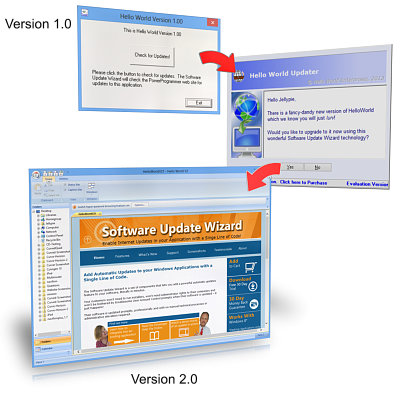
(Lest there is any confusion here, Version 2.0 on the bottom is supposed to be BETTER than Version 1.0, shown at the top!)
Notes:
Please choose 'Run from current location' from the dialog that appears when you click the link.
Note that the Software Update Wizard must be installed and running on your PC for the test application to work.
Click here to see the script which will be executed in the demo.
The test installer can be run and uninstalled as often as you like and leaves no trace upon uninstallation. See what your users will see!
Note that if you are having trouble getting the Software Update Wizard to work with your software you can check your installation using this test application. The test application uses
wuw4.dll and the Service implementation of the
Software Update Wizard. If the Hello World application updates successfully, your installation is
correct, the Software Update Wizard is running, and any problem you are having
triggering updates from your application relates to how your
application calls the Software Update Wizard or your update script.
See here for more information on troubleshooting.