The Software Update Wizard
Auto-updates with 1 line of code!


Code Quick & Easy Software Updates in 3 Simple Steps:
- Add a call to our WebUpdate() function in your application's startup code or in response to a menu choice
- Upload the new application version to your webserver
- Prepare / modify / upload your update script
There is A LOT of additional functionality available through Software Update Wizard scripts to meet all your update requirements. However, all scripts generally specify the update file url, the new software version to compare with the user's, and one or more custom messages to show the user.
 Works with Windows 11!
News!Refreshed installer released 3rd November 2023 - download it now!
Integration:

The Software Update Wizard is simple to integrate with most development environments and languages. Click here for a fast start to integration.
A Quick Example:

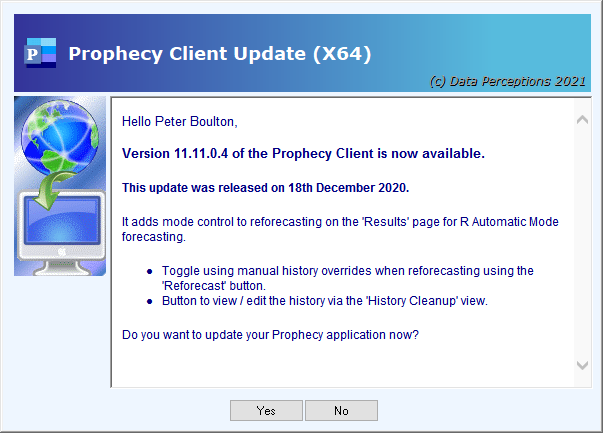
Here is an example of how a developer would use the Software Update Wizard to deploy a new version of their software.
Documentation:

The Software Update Wizard comes with comprehensive documentation on all its features. Please click here to read the developer help file on line.
Advanced Features:

The Software Update Wizard is a mature solution which has benefitted from many years of user feature requests and suggestions. Here are 14 great reasons to road-test our automatic updates solution...
Independent Review:
Benefits for Developers
- Release updates in minutes: Once you haveintegrated the Software Update Wizard in your application, deployment of an update is as simple as editing and uploading ashort, text-based script file to your web server, plus of course the updated version of your software!
- No admin rights required: The Software Update Wizard runs as a Windows service application using the SYSTEM security context (with UI components to display messages to the user). This removes any requirement for the logged on users to have Administrative rights.
- Powerful: The Software Update Wizard is considerably more sophisticated than a simple menu driven 'Check for Updates' and download the new installer updates mechanism. Please read theon-line version of the developer help file to access the full range of features.
- No server-side scripting required: The Software Update Wizard does all the clever stuff on the client and then uses https: to download the update files from your web server.
- Simple to integrate with your software: Adding automatic updates to your applicationtakes a single line of code. The complexity of version checking, internet download, replacement of in-use files, launching pre-update and post-update processes etc. is completely encapsulated within the Software Update Wizard. Why divert valuable development resource into developing update functionality when you can implement it in less than a day using our inexpensive software updater?
- Your 'look and feel': The Software Update Wizard lets you fully brand the update experience to match your company branding. There are some examples on ourscreenshots page.
- Internationalised: The Software Update Wizard fully supports a fully internationalised update experience (i.e. it can speak multiple languages!) using simple language files. This featureis described here, in our developer help file.
Benefits for Users
- Zero hassle updates: Your users get the latest and greatest version of your application immediately, without any manual processes.
- Works for all types of user: The user does not need to have Administrator rights to their computer. They will not be troubled by User Account Control (UAC) prompts and will experience an update experience seamlessly integrated with your application. Please view our on-line movie demo of the Software Update Wizard in actionby clicking here.
- Auto-relaunch: Your application is efficiently re-launched automatically after it has been updated.
- Update at startup or via menu option: If you insert the 'Check for Updates' call into your application's start-up code the user doesn't even have to manually check for updates. (Alternatively, or in addition, you can provide a traditional 'Check for Updates' menu option.)
- Customer focus: Research shows that users welcome updates, even if they are just maintenance releases. It shows the software company cares about its users.
- Completely painless: Some applications lend themselves to incremental feature releases rather than once every 2 years major releases and, indeed, the trend is very much to incremental feature updates. The Software Update Wizard makes it simple and painless for your users to enjoy the new functions in your software.
- Engagement: You can also use the Software Update Wizard update advice messages to explain the new features to your users, or even incorporate links to your website / youtube demos etc. in the update advice text. This enhances valuable engagement with your users.
- No local IT required for updates: Finally, the user is not dependent on other people (e.g. I.T. Support) to keep their software up to date. They, and I.T. Support, will be most thankful for that!
 See us on Facebook